
Imagine scrolling through Instagram and seeing brands or influencers whose feeds are so cohesive, engaging, and timely that you can't help but hit follow. That's no accident—it's the power of a well-crafted Instagram content calendar. With over 2 billion monthly active users on Instagram in 2026, consistent, strategic posting can boost engagement by up to 30%, according to Later's 2024 data. Yet, 70% of marketers struggle with planning, leading to sporadic posts and missed opportunities. This guide equips you—whether influencer, business, or marketer—with pro-level strategies to plan like a top creator, save hours, and skyrocket growth.
Why Every Instagram Account Needs a Content Calendar
A Instagram content calendar is your roadmap to consistency, turning chaotic posting into a growth machine. Without it, you're reacting to trends instead of leading them. Buffer reports that planned accounts see 2x higher engagement because they batch content, align with holidays, and optimize timing.
Real-world example: Fitness influencer @jessica_fit grew 50k followers in 3 months by theming weeks—Motivation Monday Reels, Throwback Thursday Stories—using Later's free template. Pro tip: Review monthly analytics to pivot; SocialPilot data shows top performers analyze weekly.
- Saves time: Batch-create 20 Reels in one day, as @latermedia advises.
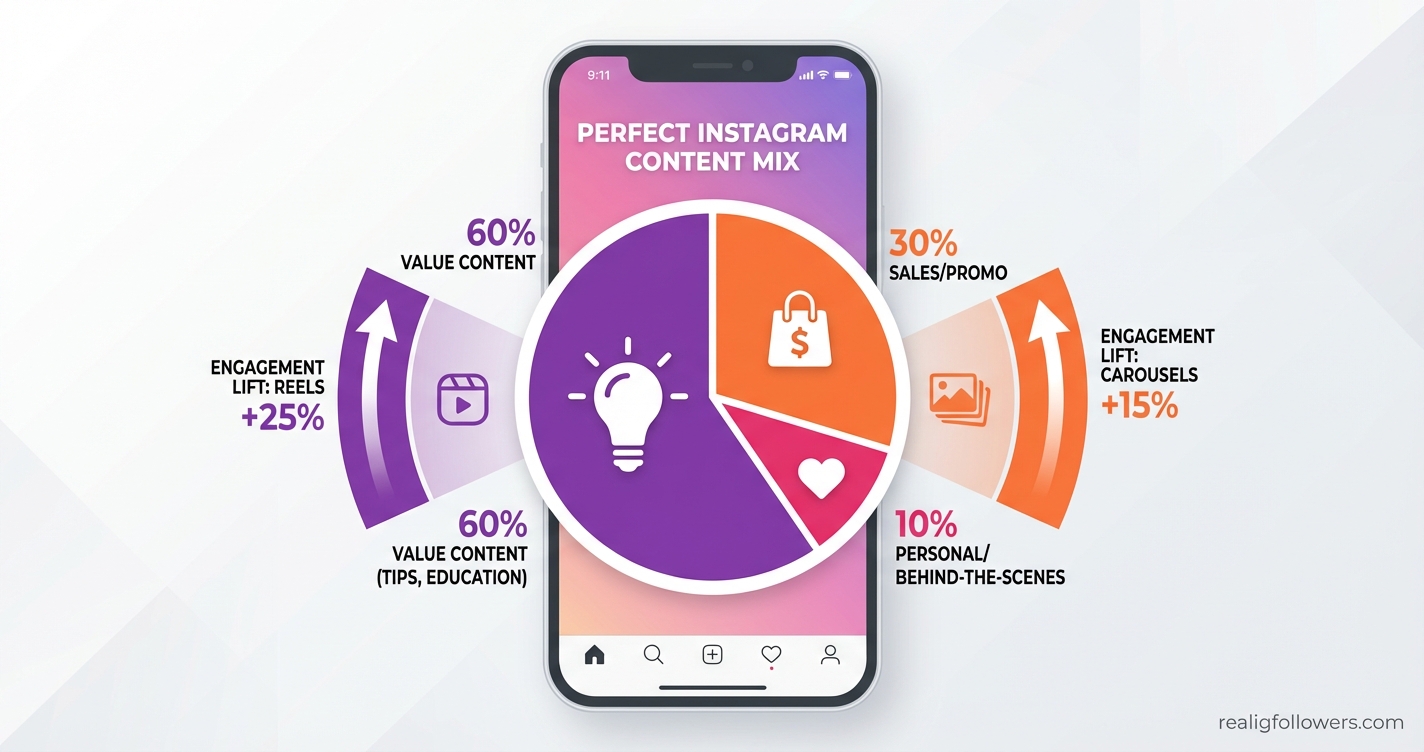
- Boosts algorithm: Prioritize Reels for 25% more reach.
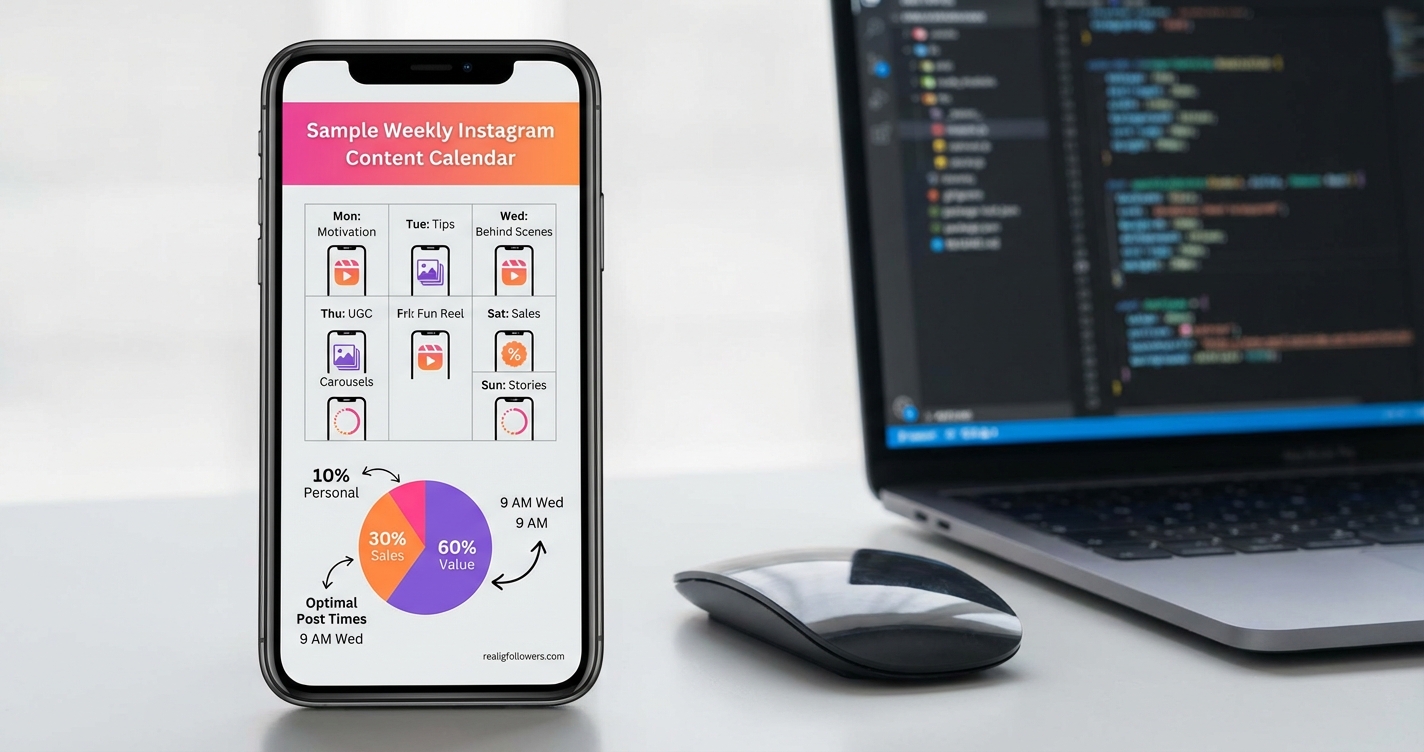
- Ensures balance: Mix value (60%), sales (30%), personal (10%).
Brands like Glossier maintain aesthetic feeds via visual grids, proving calendars drive saves over likes in Instagram's latest update.
Step 1: Define SMART Goals and Know Your Audience
Start your Instagram content calendar with clarity. SocialPilot emphasizes SMART goals (Specific, Measurable, Achievable, Relevant, Time-bound), like 'Gain 5k followers in 30 days via 3 Reels/week.'
Audience Insights Drive Everything
Use Instagram Analytics for demographics, top locations, and active times. Planoly suggests aligning with brand pillars—e.g., education, inspiration, promotion—based on audience pain points.
- Research: Poll Stories for preferences.
- Example: Coffee brand @brewmasters targets millennials with 'Wellness Wednesday' content, boosting saves 40%.
- Pro insight: Incorporate Instagram Analytics to track what resonates.
This foundation ensures your calendar isn't guesswork but data-driven dominance.
Building Content Pillars and Weekly Themes
Core to pro planning: Define 3-5 content pillars like value-driven tips, user stories, product spotlights. Later recommends weekly themes: Motivation Monday, Tutorial Tuesday, etc., tying into holidays and trends.
Incorporate Trends and UGC
Buffer advises mixing Reels with trending audio—Reels get 22% more engagement. Feature user-generated content (UGC) for authenticity; Planoly users report 3x reach.
- Brainstorm pillars via audience research.
- Theme weeks: E.g., 'Holiday Hustle' in December.
- Batch film: 20 Reels/day for efficiency.
Case study: @latermedia themed content around algorithm updates, gaining 10k followers monthly. Link to Instagram Algorithm Explained for deeper dives.
Crafting the Ideal Content Mix for Maximum Impact
No calendar succeeds without variety. SocialPilot's rule: 60% value (tips, how-tos), 30% sales, 10% personal. Diversify types: 40% Reels, 30% carousels, 20% Stories, 10% Lives—per Buffer.
- Reels priority: Algorithm boost, as @latermedia notes.
- Carousels: 15% higher engagement.
- Hashtags: 5-10 relevant via Instagram Hashtag Strategy.
Example: Beauty brand @glowupdaily mixes UGC Reels (Mon), sales carousels (Fri), seeing 25% growth. Use AI tools for ideas, schedule 3-5 posts/week.
Best Tools and Free Templates for Your Instagram Content Calendar
Visualize with grids: Later, Planoly, Buffer offer free downloadable templates for posts, Stories, Reels. Drag-and-drop scheduling saves hours.
Top Picks
- Later: Analytics-driven optimal times.
- Planoly: Feed preview for aesthetics.
- SocialPilot: AI ideas, team collab.
- Bonus: Best Instagram Growth Tools.
Pro tip: Use Linkin.bio for traffic, per @latermedia. Plan 30 days ahead for consistency.
Scheduling, Posting, and Optimization Strategies
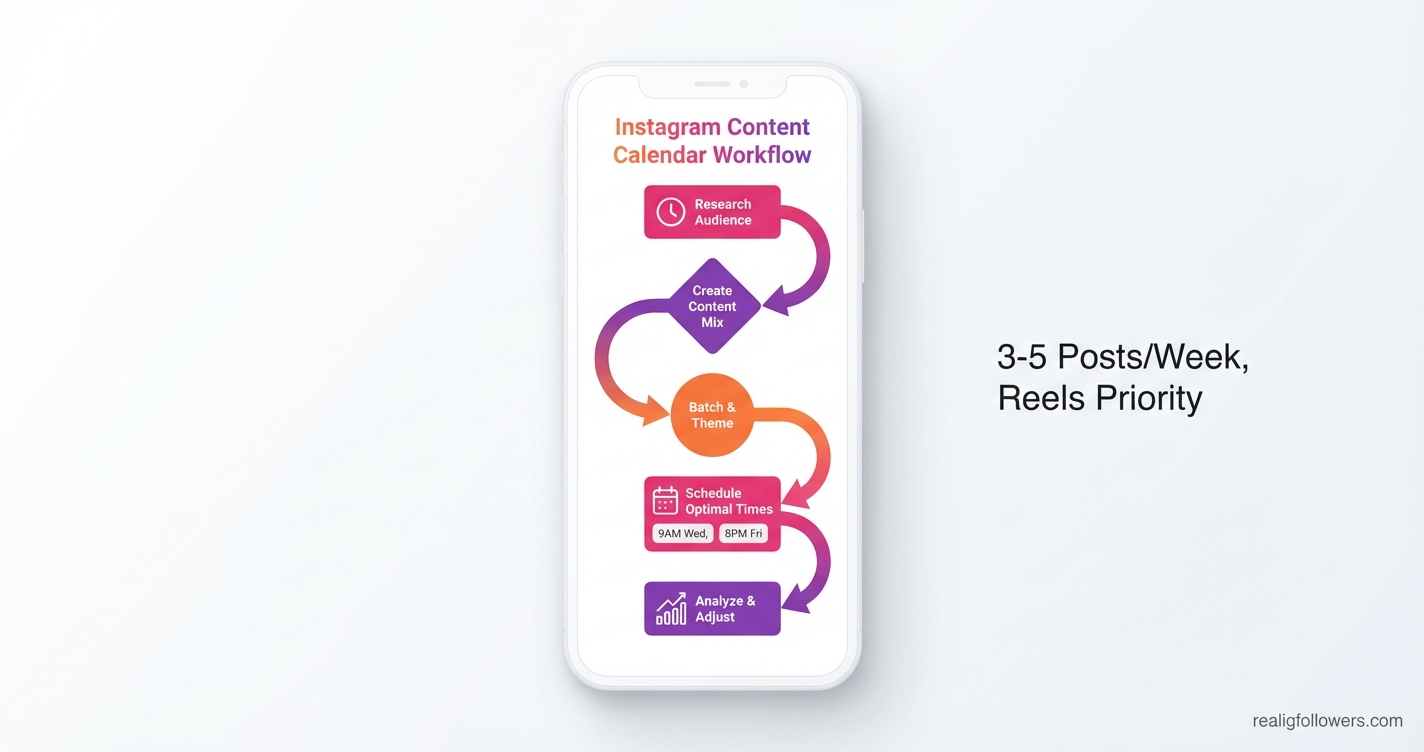
Timing is everything—post at peak audience times via analytics. Best frequency: 3-5x/week. Leverage Best Times to Post on Instagram.
- Automate with tools.
- Trending audio/hashtags.
- Stories daily for algorithm love.
Example: E-commerce @shopvibes schedules Reels at 8 PM EST, up 35% engagement.
Step-by-Step Action Plan to Build Your Instagram Content Calendar
- Week 1: Research. Audit analytics, define SMART goals, pillars.
- Week 2: Brainstorm. List 30 ideas, themes, trends. Use templates.
- Week 3: Create. Batch shoot/edit Reels, carousels.
- Ongoing: Schedule & Post. Optimal times, monitor daily.
- Monthly Review: Track metrics, iterate top performers. Check How to Get More Instagram Engagement.
Implement today for pro results.
Frequently Asked Questions
How often should I post on Instagram with a content calendar?
Aim for 3-5 feed posts per week, daily Stories, and 3-5 Reels, per SocialPilot and Buffer. This frequency maximizes algorithm visibility without overwhelming followers. Adjust based on analytics—over-posting drops engagement 20%. Use tools like Later for testing.
What's the best free Instagram content calendar template?
Later, Planoly, and Buffer offer downloadable 2024 templates covering posts, Reels, Stories. They include grids for themes and analytics integration. Customize for your pillars—start with 30-day plans for quick wins.
How do Reels fit into an Instagram content calendar?
Prioritize Reels (40% of mix) for algorithm boosts—@latermedia says they drive 25% more reach. Theme them weekly, batch-film 20 at once, use trending audio. Track saves, as Instagram's update favors them over likes.
Can I use AI for Instagram content calendar ideas?
Yes, SocialPilot's AI generates ideas tied to trends and pillars. Combine with human touch for authenticity. Input goals like 'fitness tips' to get 50+ Reel concepts, saving hours while ensuring 60% value content.
How do I analyze my Instagram content calendar performance?
Monthly reviews via Insights: Track reach, engagement, saves. Compare top posts (e.g., Reels vs. carousels). Iterate—Buffer users who adjust see 2x growth. Focus on audience retention over vanity metrics.
Conclusion: Master Your Instagram Content Calendar and Watch Growth Explode
Implementing an Instagram content calendar like a pro means consistency, data, and creativity—yielding 30%+ engagement lifts. Key takeaways: Set SMART goals, theme content, batch create, analyze relentlessly. Download a free template today, follow the action plan, and explore Instagram Reels Strategy for virality. Ready to dominate? Start planning now and transform your feed into a growth engine.